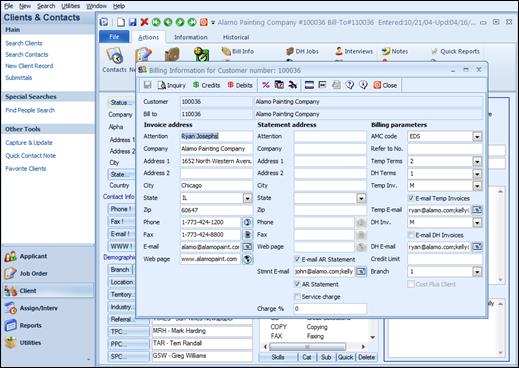
Billing Information for the Client master record is stored here. This option will assign a Bill To: number and allow the entering of pertinent billing information. This must be completed if a temp job order is going to be created for this client. The system will not allow creation of a temp job order without an account number. Use this option to create or modify a client’s bill-to information.
Client Bill Info Form
Customer: This is a read-only field that defaults from the Main Client Screen. It displays the client number and name.
Bill to: This is a read-only field that defaults from the Client Policies Screen. It displays the client bill to number and name. This can be different than the client, depending on what is set up in the Bill To field on the Client Policies screen.