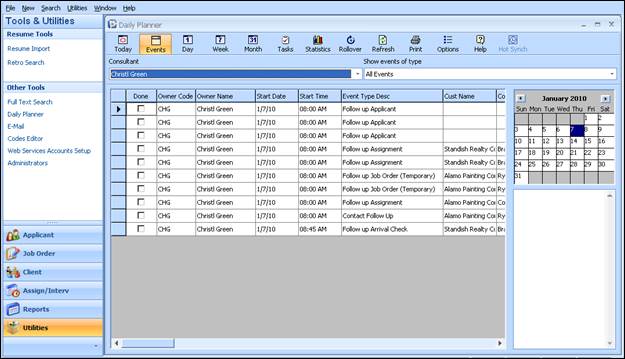
The Ultra-Staff Daily Planner provides a comprehensive vehicle to access and follow up on all types of interaction and correspondence with the many areas found within the Ultra-Staff software. From the documentation of telephone calls and e-mails, to the scheduling of Applicants on assignments, the Daily Planner enables users with everything they need in order to perform follow-ups on various activities throughout the Placement Consultant’s day.
Call the Daily Planner into the Ultra-Staff workspace area by clicking Utilities on the Vertical menu. In Utilities, choose Daily Planner.
The Daily Planner allows look up of activities based upon the consultant code and categorized events such as interviews, meetings, applicant and client follow-ups, etc. These follow-ups can be viewed on a daily, weekly, or monthly view. Select the day to view by clicking on a calendar on the right side of the form.
Figure 2.1 – Daily Planner Event View
Because the Ultra-Staff Daily Planner feeds from all areas of the software, there are also methods of adding items to others’ Daily Planners without having to initiate an action within Ultra-Staff.